
Droid Overflow (H/W & System)1.1 - Get APK
You'll be able to download in few seconds.
Publisher Description
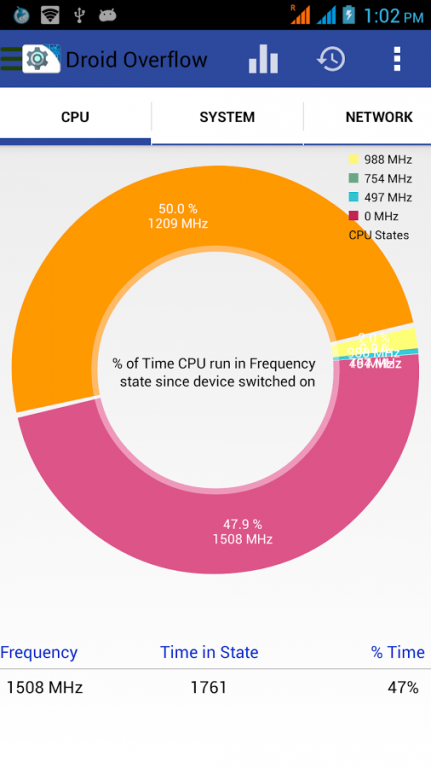
Application shows complete information about your android hardware & Software details. Test your device & get used with these technical terms:
CPU :-
This section of Application shows Processor, no. of Cores, Current Frequency, Clock Speed, Heap memory, Boot loader, CPU Governor Baseband Version, Kernel Version, Host, GPU information, CPU family etc.
SYSTEM :-
This section shows Manufacturer, Model , Brand , Board, Serial , Android ID , Screen Resolution & Density, OS version ,API level, Memory Details
Fingerprint of device,Build ID
NETWORK :-
This section shows current Data connection status, Network Type(3G,Lite,HSDPA,HSDPA+,etc),Download speed and Upload speed, IP Address of Device
Internet /data speed in status bar and in notifications for a quick view.
BATTERY :-
This section shows complete battery information including Current Battery Level, Battery temperature in Celsius/Fahrenheit , Voltage,Battery Technology
SENSORS :-
List All the sensors in your device like Accelerometer , Magnetometer, Light-sensor, Gravity-sensor, Gyroscope, Orientation , Temperature, Pressure ,
Proximity-Sensor, Game Rotation, Step detector, Step counter
FEATURES :-
This section shows supporting peripherals like WIFI, WIFI Direct, Bluetooth, Bluetooth LE, NFC ,GPS, Microphone, Camera Flash, USB Host, USB Accessory
Removable Storage, Printing, you can also check your phone root status.
CAMERA :-
You can check complete details about both front and back cameras.
DATA MONITOR :-
Analyse your Daily, hourly and monthly data usages for last 24 hours , 30 days and 12 months respectively by graphs.
BATTERY MONITOR :-
You can Analyse your Hourly values of battery level, battery temperature, battery voltage for week by graph and estimates its performance.
COMPASS :-
A compass with numerical heading.
MAGNETOMETER:-
A tool to detect the magnetic field objects and their magnetic strength around you.
WIDGET :-
Get quick overview of your device RAM Status, & a quick handy Boost button to clean RAM.
If you have any suggestions for improving this app, please contact us on mail.
If you like this app, please share & Rate this app 5 stars.
About Droid Overflow (H/W & System)
The company that develops Droid Overflow (H/W & System) is Top Tools. The latest version released by its developer is 1.1.
To install Droid Overflow (H/W & System) on your Android device, just click the green Continue To App button above to start the installation process. The app is listed on our website since 2015-11-19 and was downloaded 0 times. We have already checked if the download link is safe, however for your own protection we recommend that you scan the downloaded app with your antivirus. Your antivirus may detect the Droid Overflow (H/W & System) as malware as malware if the download link to com.toptools.cpu.droidoverflow is broken.
How to install Droid Overflow (H/W & System) on your Android device:
- Click on the Continue To App button on our website. This will redirect you to Google Play.
- Once the Droid Overflow (H/W & System) is shown in the Google Play listing of your Android device, you can start its download and installation. Tap on the Install button located below the search bar and to the right of the app icon.
- A pop-up window with the permissions required by Droid Overflow (H/W & System) will be shown. Click on Accept to continue the process.
- Droid Overflow (H/W & System) will be downloaded onto your device, displaying a progress. Once the download completes, the installation will start and you'll get a notification after the installation is finished.
Program Details
System requirements
Download information
Pricing
Version History
version 1.1
posted on 2015-11-19
v 1.1,- Added widget for quick info, also have the option of handy flashlight with a RAM Booster
Disclaimer
External Download
We do not host Droid Overflow (H/W & System) on our servers. We did not scan it for viruses, adware, spyware or other type of malware. This app is hosted by Galad and passed their terms and conditions to be listed there. We recommend caution when installing it.
The APK Download link for Droid Overflow (H/W & System) is provided to you by apps112.com without any warranties, representations or guarantees of any kind, so access it at your own risk.
If you have questions regarding this particular app contact the publisher directly. For questions about the functionalities of apps112.com contact us.
